
こんにちは!
この記事は、Youtubeやブログ記事で紹介したツールの配布ページ」です
AIに配布しているプログラムをアップロードすることでプログラムを確実につくりこむことができます
また、ゲーム制作でそのまま使うためのツールも公開しています、ぜひゲーム制作に役立てください

AIに言葉で伝えるよりもツールをそのままアップロードすると、
より確実にアプリやゲームをつくることができます
ゲーム制作で役に立つ & Youtubeで紹介した無料ツール
キャラクタースプライトシートのカット用ツール
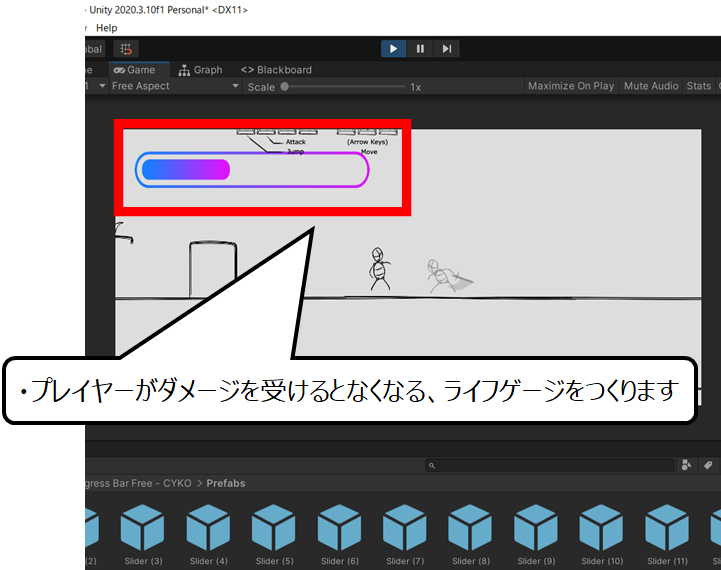
フォトショップのように背景切り抜き&複数分割カットができます
またアニメーションGIFができるように更新しました
雷・サンダーの魔法・電流エフェクト
電流エフェクト調整
画面をドラッグ、またはクリックすると電流の始点・終点を変更できます
AIになかなか伝わらない雷・サンダーエフェクトのJavascriptです
これを添付すればAIもこれを元につくることができます
プログラムのコードを表示する
<div class="wp-lightning-simulator-container">
    <div id="wp-lightning-control-panel">
        <h2>電流エフェクト調整</h2>

        <div class="wp-control-group">
            <label for="wp-thickness">太さ (Thickness)<span id="wp-val-thickness" class="wp-value-display">2.5px</span></label>
            <input type="range" id="wp-thickness" min="1" max="10" step="0.5" value="2.5">
        </div>

        <div class="wp-control-group">
            <label for="wp-brightness">明るさ (Brightness)<span id="wp-val-brightness" class="wp-value-display">120%</span></label>
            <input type="range" id="wp-brightness" min="50" max="200" step="5" value="120">
        </div>

        <div class="wp-control-group">
            <label for="wp-hue">色み (Color Hue)<span id="wp-val-hue" class="wp-value-display">195°</span></label>
            <input type="range" id="wp-hue" min="0" max="360" step="1" value="195">
        </div>

        <div class="wp-control-group">
            <label for="wp-diffusion">拡散 (Chaos / Diffusion)<span id="wp-val-diffusion" class="wp-value-display">35</span></label>
            <input type="range" id="wp-diffusion" min="5" max="80" step="1" value="35">
        </div>
    </div>

    <div id="wp-lightning-instructions">画面をドラッグ、またはクリックすると電流の始点・終点を変更できます</div>

    <canvas id="wp-lightningCanvas"></canvas>
</div>

<style>
    /* 記事の幅に合わせて全画面表示、または指定エリアに収めるラッパー */
    .wp-lightning-simulator-container {
        position: relative;
        width: 100%;
        height: 600px; /* WordPress内で扱いやすいように固定高に調整(100vhから変更) */
        background-color: #08090c;
        color: #e0e6ed;
        font-family: -apple-system, BlinkMacSystemFont, "Segoe UI", Roboto, sans-serif;
        overflow: hidden;
        border-radius: 12px;
        box-shadow: 0 10px 30px rgba(0,0,0,0.3);
        margin: 2em 0;
    }

    /* 他の要素のユーザー選択を邪魔しないようコンテナ内のみ制限 */
    .wp-lightning-simulator-container * {
        box-sizing: border-box;
        user-select: none;
    }

    #wp-lightning-control-panel {
        position: absolute;
        top: 20px;
        left: 20px;
        width: 280px;
        background: rgba(15, 22, 36, 0.85);
        backdrop-filter: blur(12px);
        -webkit-backdrop-filter: blur(12px);
        border: 1px solid rgba(255, 255, 255, 0.1);
        border-radius: 14px;
        padding: 20px;
        box-shadow: 0 15px 35px rgba(0, 0, 0, 0.5);
        z-index: 10;
    }

    #wp-lightning-control-panel h2 {
        font-size: 16px;
        font-weight: 600;
        margin: 0 0 15px 0 !important; /* WPテーマのスタイルを上書き */
        padding: 0 0 8px 0 !important;
        color: #fff !important;
        letter-spacing: 0.5px;
        border-bottom: 1px solid rgba(255, 255, 255, 0.1);
    }

    .wp-control-group {
        margin-bottom: 14px;
    }

    .wp-control-group:last-child {
        margin-bottom: 0;
    }

    .wp-control-group label {
        display: flex;
        justify-content: space-between;
        font-size: 12px;
        color: #a0aec0;
        margin-bottom: 6px;
        font-weight: 500;
    }

    .wp-value-display {
        color: #63b3ed;
        font-family: monospace;
        font-weight: bold;
    }

    .wp-control-group input[type="range"] {
        -webkit-appearance: none;
        appearance: none;
        width: 100%;
        height: 6px;
        background: #2d3748;
        border-radius: 3px;
        outline: none;
        margin: 0;
    }

    .wp-control-group input[type="range"]::-webkit-slider-thumb {
        -webkit-appearance: none;
        appearance: none;
        width: 16px;
        height: 16px;
        border-radius: 50%;
        background: #fff;
        cursor: pointer;
        box-shadow: 0 0 6px rgba(0,0,0,0.5);
        transition: transform 0.1s, background-color 0.1s;
    }

    .wp-control-group input[type="range"]::-webkit-slider-thumb:hover {
        transform: scale(1.2);
        background: #63b3ed;
    }

    #wp-lightningCanvas {
        position: absolute;
        top: 0;
        left: 0;
        width: 100%;
        height: 100%;
        z-index: 1;
        cursor: crosshair;
        display: block;
    }

    #wp-lightning-instructions {
        position: absolute;
        bottom: 15px;
        right: 15px;
        color: rgba(255, 255, 255, 0.4);
        font-size: 11px;
        pointer-events: none;
        text-align: right;
        z-index: 10;
    }
</style>

<script>
(function() {
    // WordPress内での競合を防ぐため、即時関数(IIFE)でスコープを隔離
    const container = document.querySelector('.wp-lightning-simulator-container');
    const canvas = document.getElementById('wp-lightningCanvas');
    if (!canvas) return;
    const ctx = canvas.getContext('2d');

    const sliders = {
        thickness: document.getElementById('wp-thickness'),
        brightness: document.getElementById('wp-brightness'),
        hue: document.getElementById('wp-hue'),
        diffusion: document.getElementById('wp-diffusion')
    };

    const displays = {
        thickness: document.getElementById('wp-val-thickness'),
        brightness: document.getElementById('wp-val-brightness'),
        hue: document.getElementById('wp-val-hue'),
        diffusion: document.getElementById('wp-val-diffusion')
    };

    let params = {
        thickness: parseFloat(sliders.thickness.value),
        brightness: parseInt(sliders.brightness.value),
        hue: parseInt(sliders.hue.value),
        diffusion: parseInt(sliders.diffusion.value)
    };

    function updateParams() {
        params.thickness = parseFloat(sliders.thickness.value);
        params.brightness = parseInt(sliders.brightness.value);
        params.hue = parseInt(sliders.hue.value);
        params.diffusion = parseInt(sliders.diffusion.value);

        displays.thickness.textContent = params.thickness.toFixed(1) + 'px';
        displays.brightness.textContent = params.brightness + '%';
        displays.hue.textContent = params.hue + '°';
        displays.diffusion.textContent = params.diffusion;
    }

    Object.keys(sliders).forEach(key => {
        sliders[key].addEventListener('input', updateParams);
    });

    function resizeCanvas() {
        // 全画面(window)ではなく、親コンテナのサイズに合わせる
        canvas.width = container.clientWidth;
        canvas.height = container.clientHeight;
    }
    window.addEventListener('resize', resizeCanvas);
    resizeCanvas();

    let startPoint = { x: canvas.width * 0.25, y: canvas.height * 0.5 };
    let endPoint = { x: canvas.width * 0.75, y: canvas.height * 0.5 };
    let isDragging = false;

    function getEventPos(e) {
        const rect = canvas.getBoundingClientRect();
        const clientX = e.touches ? e.touches[0].clientX : e.clientX;
        const clientY = e.touches ? e.touches[0].clientY : e.clientY;
        // スクロールや親要素の位置ズレを補正
        return {
            x: clientX - rect.left,
            y: clientY - rect.top
        };
    }

    function handleStart(e) {
        if (e.target.closest('#wp-lightning-control-panel')) return;
        isDragging = true;
        const pos = getEventPos(e);
        startPoint = pos;
        endPoint = pos;
    }

    function handleMove(e) {
        if (!isDragging) return;
        const pos = getEventPos(e);
        endPoint = pos;
    }

    function handleEnd() {
        isDragging = false;
    }

    // イベントリスナーをwindowではなくcanvas(またはコンテナ)に絞ることで誤作動を防ぐ
    canvas.addEventListener('mousedown', handleStart);
    window.addEventListener('mousemove', handleMove);
    window.addEventListener('mouseup', handleEnd);

    canvas.addEventListener('touchstart', handleStart, { passive: true });
    window.addEventListener('touchmove', handleMove, { passive: true });
    window.addEventListener('touchend', handleEnd);

    window.addEventListener('resize', () => {
        if (!isDragging) {
            startPoint = { x: canvas.width * 0.25, y: canvas.height * 0.5 };
            endPoint = { x: canvas.width * 0.75, y: canvas.height * 0.5 };
        }
    });

    function createLightningPath(startX, startY, endX, endY, displace, minSegmentLength) {
        const dx = endX - startX;
        const dy = endY - startY;
        const distance = Math.sqrt(dx * dx + dy * dy);

        if (distance < minSegmentLength) {
            return [{ x: startX, y: startY }, { x: endX, y: endY }];
        }

        const midX = (startX + endX) / 2;
        const midY = (startY + endY) / 2;

        const nx = -dy / distance;
        const ny = dx / distance;
        const offset = (Math.random() - 0.5) * displace;

        const actualMidX = midX + nx * offset;
        const actualMidY = midY + ny * offset;

        const nextDisplace = displace * 0.52;
        const leftPath = createLightningPath(startX, startY, actualMidX, actualMidY, nextDisplace, minSegmentLength);
        const rightPath = createLightningPath(actualMidX, actualMidY, endX, endY, nextDisplace, minSegmentLength);

        return leftPath.concat(rightPath.slice(1));
    }

    let animationFrameId;
    function animate() {
        ctx.fillStyle = 'rgba(8, 9, 12, 0.4)';
        ctx.fillRect(0, 0, canvas.width, canvas.height);

        let currentEnd = { ...endPoint };
        if (startPoint.x === endPoint.x && startPoint.y === endPoint.y) {
            currentEnd.x += 0.1;
        }

        const pathsToDraw = [];
        const mainPath = createLightningPath(startPoint.x, startPoint.y, currentEnd.x, currentEnd.y, params.diffusion * 6, 10);
        pathsToDraw.push({ segments: mainPath, type: 'main' });

        if (mainPath.length > 4 && Math.random() < 0.6) {
            const branchIdx = Math.floor(Math.random() * (mainPath.length - 2)) + 1;
            const bStart = mainPath[branchIdx];
            const angle = (Math.random() - 0.5) * Math.PI / 2;
            const length = params.diffusion * (2 + Math.random() * 4);

            const bEndX = bStart.x + Math.sin(angle) * length;
            const bEndY = bStart.y + Math.cos(angle) * length;

            const branchPath = createLightningPath(bStart.x, bStart.y, bEndX, bEndY, params.diffusion * 2, 8);
            pathsToDraw.push({ segments: branchPath, type: 'branch' });
        }

        const baseHue = params.hue;
        const glowIntensity = params.brightness / 100;

        pathsToDraw.forEach(pathData => {
            const points = pathData.segments;
            const isMain = pathData.type === 'main';

            ctx.lineCap = 'round';
            ctx.lineJoin = 'round';

            // 1. 拡散グロー
            ctx.shadowBlur = 40 * glowIntensity;
            ctx.shadowColor = `hsl(${baseHue}, 100%, 50%)`;
            ctx.strokeStyle = `rgba(${isMain ? 20 : 10}, 80, 255, ${0.05 * glowIntensity})`;
            ctx.lineWidth = params.thickness * (isMain ? 8 : 4);

            ctx.beginPath();
            ctx.moveTo(points[0].x, points[0].y);
            for (let i = 1; i < points.length; i++) { ctx.lineTo(points[i].x, points[i].y); }
            ctx.stroke();

            // 2. コアグロー
            ctx.shadowBlur = 15 * glowIntensity;
            ctx.shadowColor = `hsl(${baseHue}, 100%, 60%)`;
            ctx.strokeStyle = `hsl(${baseHue}, 100%, ${65 * glowIntensity}%)`;
            ctx.lineWidth = params.thickness * (isMain ? 3 : 1.5);

            ctx.beginPath();
            ctx.moveTo(points[0].x, points[0].y);
            for (let i = 1; i < points.length; i++) { ctx.lineTo(points[i].x, points[i].y); }
            ctx.stroke();

            // 3. ホワイトコア
            ctx.shadowBlur = 4 * glowIntensity;
            ctx.shadowColor = '#fff';
            ctx.strokeStyle = `rgba(255, 255, 255, ${0.9 * Math.min(1, glowIntensity)})`;
            ctx.lineWidth = params.thickness * (isMain ? 1 : 0.5);

            ctx.beginPath();
            ctx.moveTo(points[0].x, points[0].y);
            for (let i = 1; i < points.length; i++) { ctx.lineTo(points[i].x, points[i].y); }
            ctx.stroke();
        });

        if (Math.random() < 0.04) {
            ctx.fillStyle = `hsla(${baseHue}, 100%, 50%, ${0.02 * glowIntensity})`;
            ctx.fillRect(0, 0, canvas.width, canvas.height);
        }

        animationFrameId = requestAnimationFrame(animate);
    }

    animate();
})();
</script>背景用 & 拡張用のボクセルエディター
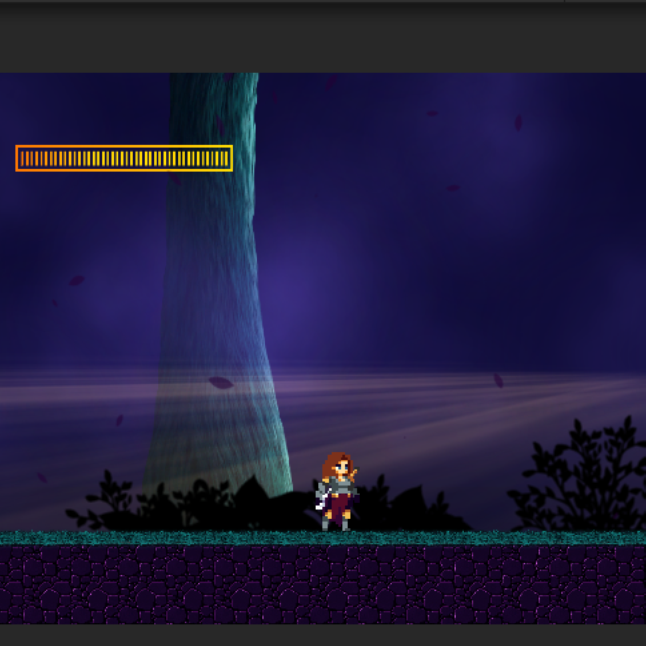
AIにファイルを添付して、ボクセルの機能をプラスするためのプログラムです
景観アシストツール
フラクタル風景を3D空間に描画するソフト
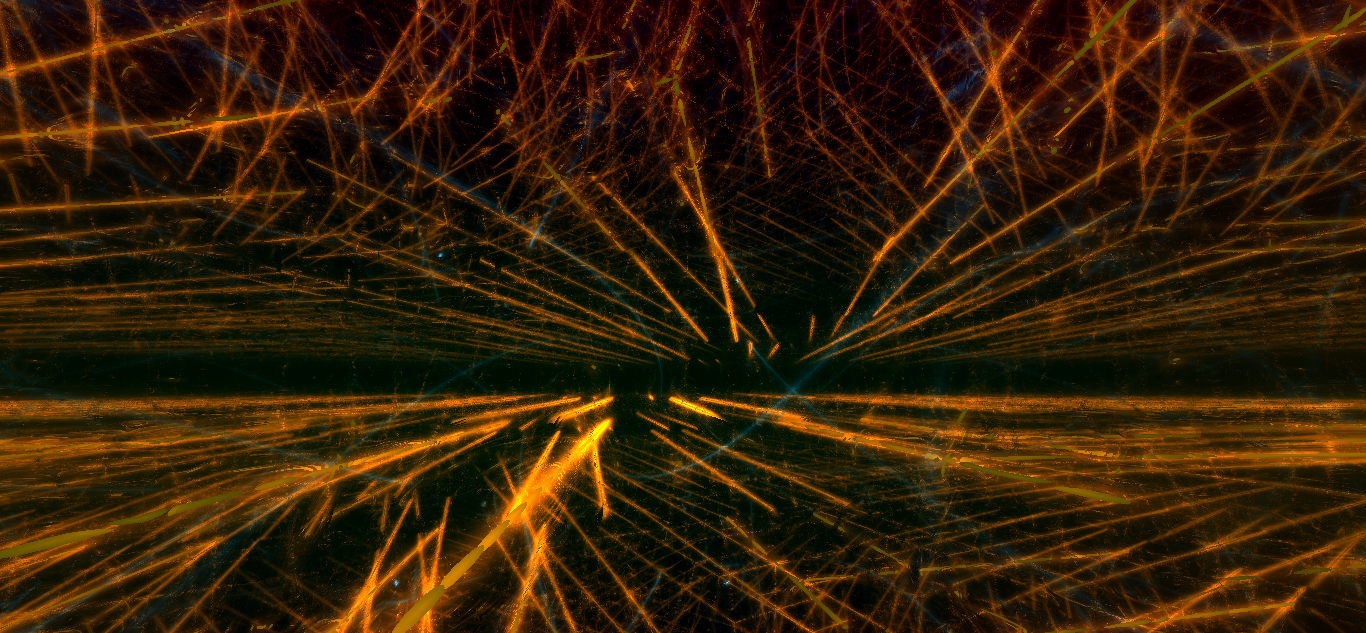
3D空間に数式計算により美しい線形を自動で描くことができます
数字を変えてボタンをクリックすると線を描くことができます
つくった絵は保存してつかうことができます
別ページでプレイすることもできます
炎&オーロラのエフェクト作成ツール

炎とオーロラのエフェクトを半自動でつくることができます
つくった絵は画像として保存することができます
ゲーム制作記事で紹介したプログラムです
2Dアクションゲームを爆速で作る方法のプログラム
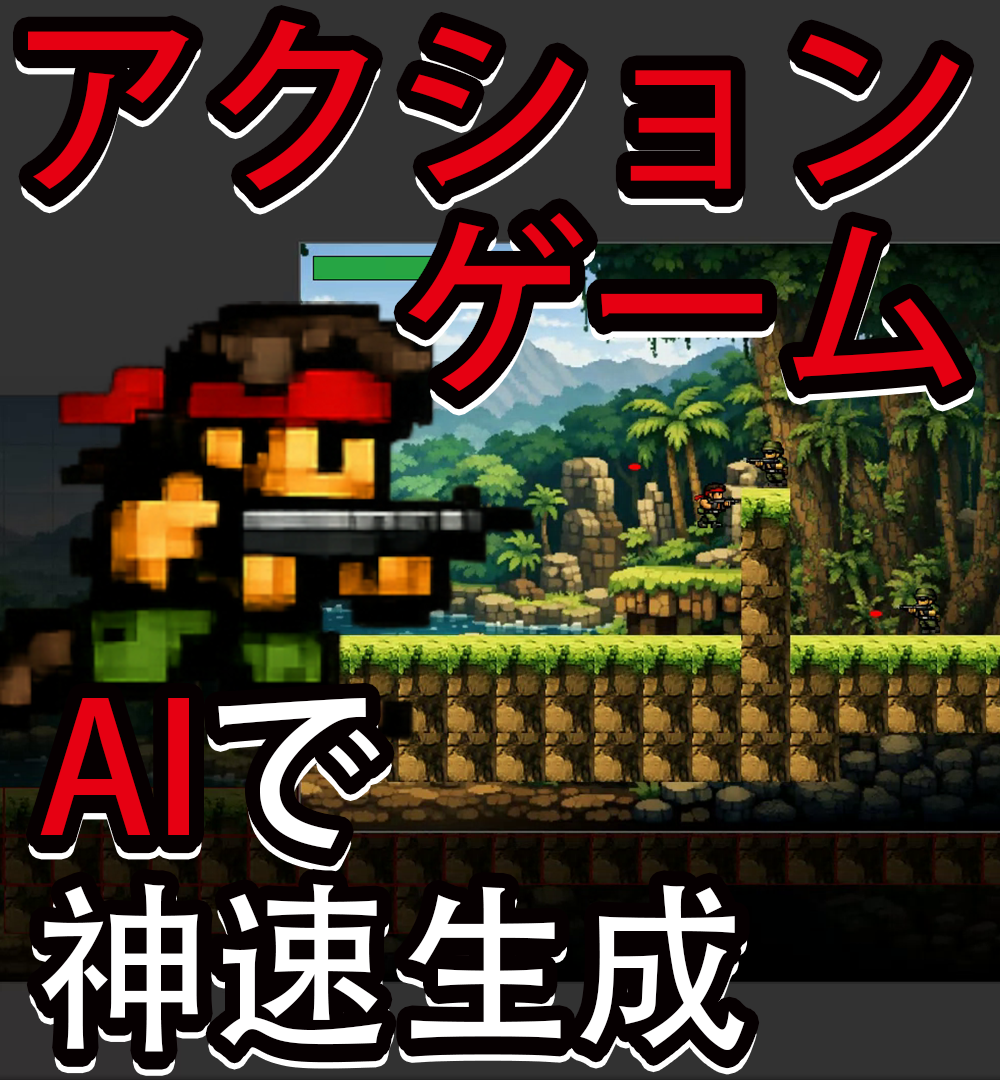
2Dアクションゲームの作り方で紹介していたプログラムコードです
使い方とつくり方は次のページになります
AIでノベルゲームのカンタンなつくり方のプログラム
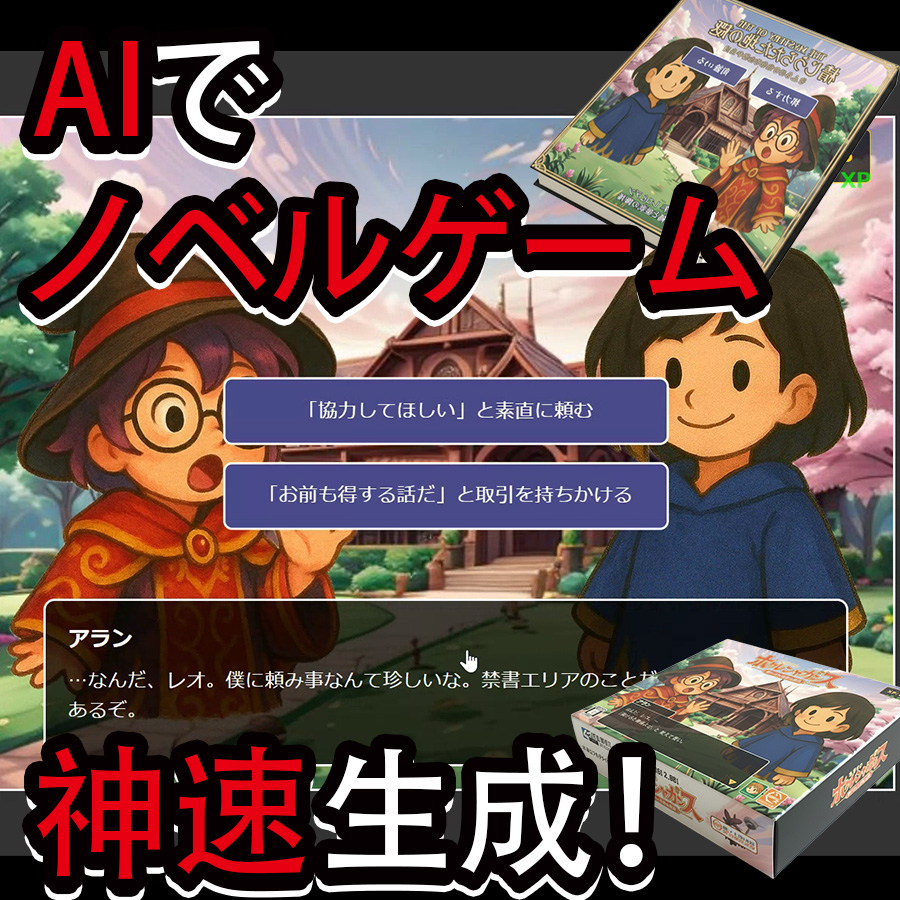
AIでノベルゲーム爆速生成方法で紹介したプログラムです
使い方とつくり方は次のページで紹介しています
アドベンチャーゲーム・ミステリーゲームのプログラム

アドベンチャーゲームを秒で作る方法で紹介したプログラムです
使い方とつくり方は次のページで紹介しています


コメント